insightcae-documentation
Installation on Windows
InsightCAE and its backend tools (OpenFOAM, Code_Aster) are Linux software. They can nevertheless be run on Windows 10 (64-bit) or later via the Windows Subsystem for Linux (WSL). No virtualization is used — processes share memory with Windows processes and files are stored in the Windows file system.
Because graphical output from WSL is unreliable, the software is split into:
- a frontend that runs natively on Windows, and
- a backend that controls the solvers and runs inside WSL.
Communication between both sides uses the network stack.
Installer
A ready-to-use installer is provided. Download the latest InsightCAEInstaller-X.Y.Z.exe
from one of these locations:
| Version | URL |
|---|---|
| Stable (master branch) | http://downloads.silentdynamics.de/ubuntu/ |
!!! note “Customer installations” For supported customer deployments the installer is downloaded from a dedicated repository URL provided by silentdynamics.
The installer:
- activates the Windows Subsystem for Linux if not already active,
- bundles required third-party programs: ParaView, gnuplot, MiKTeX, PuTTY.
!!! warning “Python runtime required”
The Python runtime library (python36.dll) must be in the PATH environment
variable. Enable the option “Add Python to PATH” during Python installation.
If this was missed, PATH must be edited manually after installation.
!!! note Administrator rights are required for installation.
First Launch
After installation, reboot the system and launch the InsightCAE Workbench from the Start Menu. On first launch two setup steps are required:
1. Set Paths to Executables
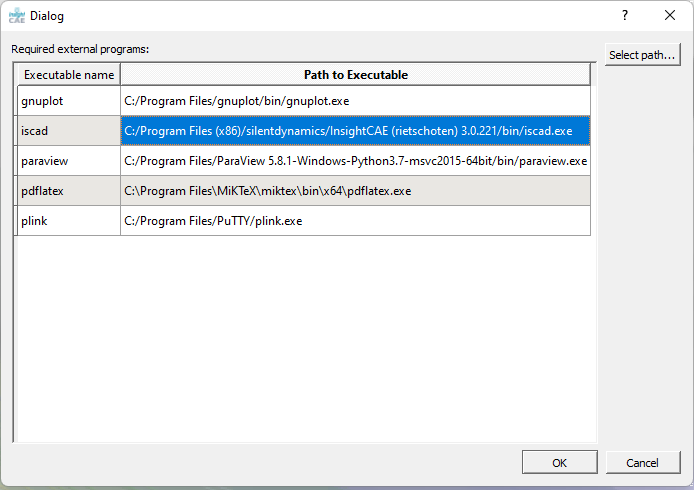
Some required executables are not in the system PATH. The configuration dialog shown
below is displayed for each missing executable.
Click on a row without a path, then click Select path… and locate the executable.
2. Verify or Create the WSL Backend
The installer includes a WSL image matching the installer version. This check should succeed silently for a fresh installation.
If no WSL backend is found, a prompt appears. Click Create to open the creation form:
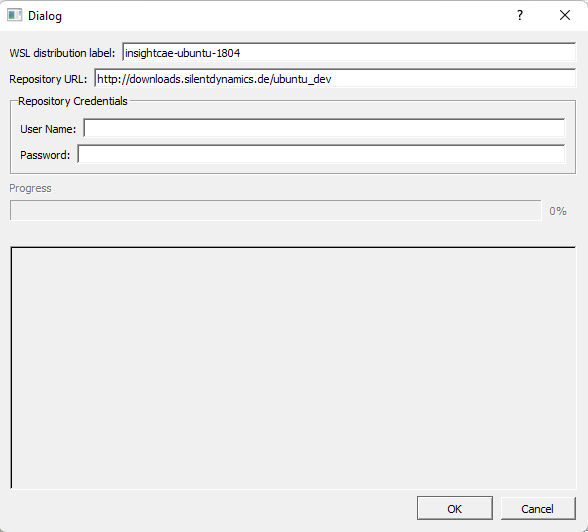
The URL is preset from the source from which the installer was downloaded. Support customers must enter their credentials in the appropriate fields. Click Ok to download and install the backend image (~1.5 GB). Once complete, the Workbench GUI opens.
Updating
Download the newer installer from the same location and run it. In the installation wizard only the last two components need to be selected:
- WSL Distribution
- InsightCAE Windows Client
Skip third-party tools if they were already installed previously.
Updating MiKTeX
MiKTeX is used by InsightCAE for generating PDF reports and rendering charts. It is updated independently:
-
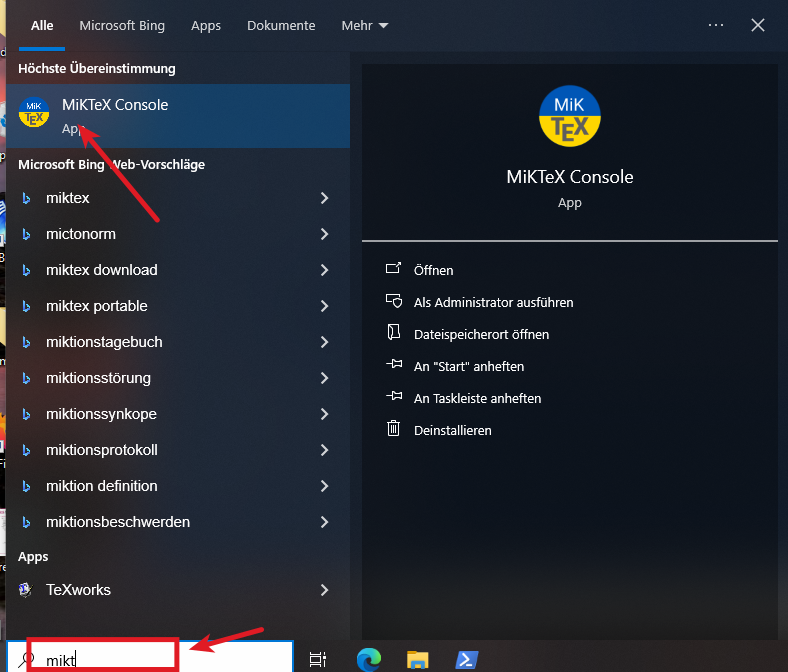
Open the MiKTeX Console (press the Windows key and type miktex console).
-
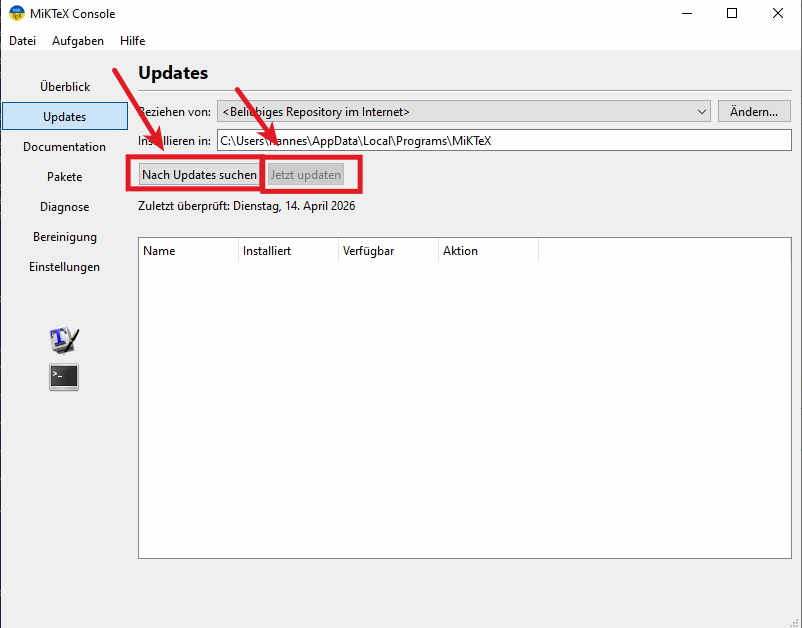
Switch to the Updates tab, click Search for Updates, then click Update Now.